ADHD calendar app: why a fixed time breaks tasks
Drifta is an iPhone task app for ADHD that gives every task its own time window.
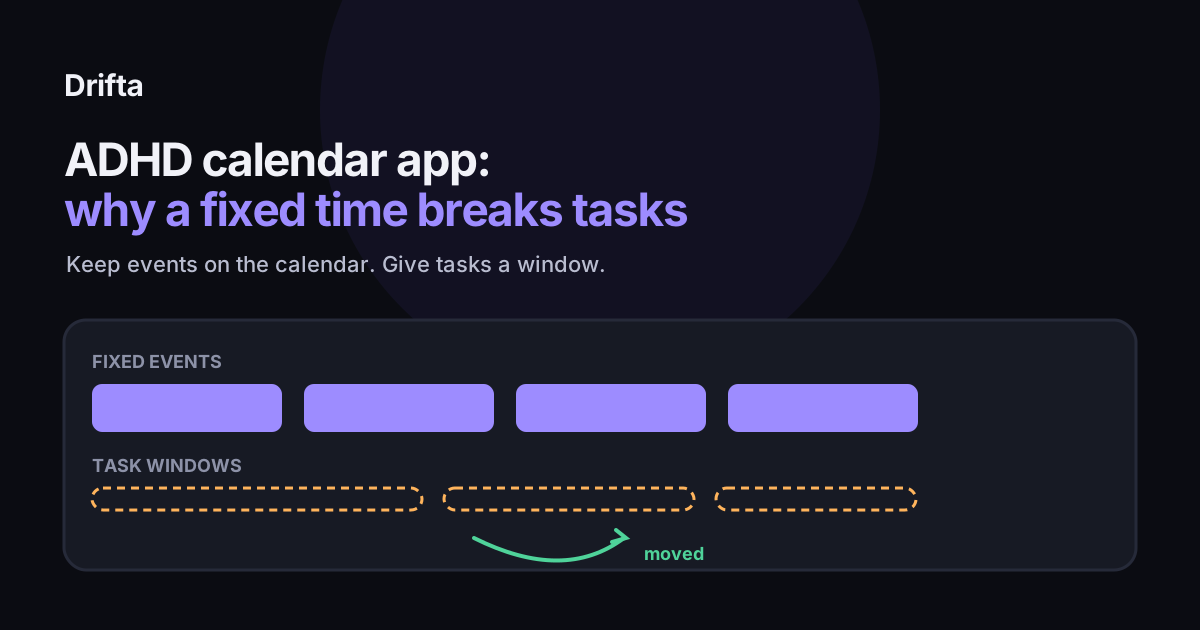
An ADHD calendar app works for events that have a fixed start, like meetings and appointments, and breaks down when it is asked to hold tasks you can do at any point in a range. A calendar assumes you already know when something will happen, so a task with no fixed time either lands in the wrong slot or gets moved again and again. Keep the calendar for fixed events, and pair it with a task view that holds a start window and a deadline.
An ADHD calendar app works for events with a fixed start, like a meeting or a dentist appointment, and it breaks down when you ask it to hold tasks you can do at any point in a range. A calendar assumes you already know when something will happen. A task with no fixed time either lands in the wrong slot or gets moved again and again. Keep the calendar for fixed events, and pair it with a task view that holds a start window and a deadline.
A calendar is a good tool for one kind of time, and most ADHD tasks need a different kind. The mismatch is easy to miss because the calendar looks so organized. Here is why the fixed slot causes trouble, what Apple Calendar actually shows for reminders, and how to split a week between the two kinds of time.
Why does a calendar assume you know when a task will happen?
A calendar event has a start and an end. Once you put something in a slot, the calendar treats it as a promise to yourself, and it will show you that promise every day until you move it. A task like "renew the car registration this month" has no start point. It has a range, and a range does not fit in a slot.
That mismatch is where ADHD makes it worse. Research on timing in ADHD points the same direction. Noreika, Falter, and Rubia reviewed the timing literature in 2013 and described time-processing differences as an independent deficit linked to ADHD behavior (Neuropsychologia, Vol. 51, No. 2). If choosing a precise hour for a flexible task is hard for you, a calendar will keep asking you to do exactly that. The longer case for why calendars fail for ADHD tasks is in why calendars fail for ADHD tasks and what to pair them with.
What does Apple Calendar show you for a reminder?
Apple's help article on reminders in Calendar says you can "view, create, complete, and edit reminders from the Reminders app right in Calendar" (Apple Support, Use reminders in Calendar on iPhone). To see them, you turn on Scheduled Reminders in the Calendar app. The details matter for how you use it:
- Timed reminders need a specific time, which you choose when you create the reminder.
- All-day reminders sit in the all-day section at the top of the day, with no start time at all.
- Repeating reminders show future instances dimmed, and you can only complete a later one after the current instance is done.
- Hiding them does not delete anything. Apple's page says that "Removing reminders from Calendar doesn't delete the reminders from the Reminders app."
That gives you a clear picture of the gap. Apple Calendar shows a reminder at one set time or in a strip at the top of the day. The page describes one time per reminder, with no separate start point and deadline.
A worked example: one week with two kinds of time
Here is a made-up week to show the mismatch in numbers. Say you have 12 items. Four are fixed: a Monday meeting at 10 a.m., a Wednesday dentist appointment at 2 p.m., a Thursday school pickup at 3 p.m., and a Friday client call at 11 a.m. The other eight are tasks with a range: an expense report, a car registration renewal, a reply to a landlord, a package return, a form for school, two invoices, and a book chapter.
The four fixed items belong in the calendar, and they behave well there. They are on time or they are not, and the calendar tells you which. The eight range tasks are different. Put them on a calendar and you have to pick a day for each one, which means picking a moment you have no real basis for. If you miss the picked day, the task moves. Say three of the eight moved once and one moved twice. That is five moves across eight tasks, and each move is a signal that the slot was the wrong shape, not that you failed.
Count your own moves for a week. If a task has moved more than once, its time is the problem, so give it a window instead of a slot.
How do you tell which items belong on a calendar?
The rule is the one from task app, calendar, or notes: what goes where, applied to time. A calendar is for things tied to a fixed time you cannot move. A task app is for things you need to do within a range. The table shows how the common cases sort.
| Item | Fixed start? | Calendar | Task window |
|---|---|---|---|
| Monday meeting at 10 a.m. | Yes | Yes | No |
| Wednesday dentist appointment at 2 p.m. | Yes | Yes | No |
| Expense report, due Friday, can start Tuesday | No | No | Yes |
| Car registration, renew any time this month | No | No | Yes |
If an item needs a range, a calendar slot is a guess. If it needs a fixed moment, a window is too loose. Sorting each item this way takes a minute and removes most of the friction.
What should you pair with a calendar?
A task view that holds a start point and a deadline for each task. Drifta, an iPhone task app for ADHD, gives every task an earliest start and a deadline, and keeps the list in three places: Daily Tasks, Up Next, and Backlog. The free plan holds up to 10 daily tasks. That means one day can look like this: two timed events in the calendar, up to ten windowed tasks in Daily Tasks, and everything else waiting in Backlog until its window opens.
Each tool gets one job. The calendar answers "where do I need to be?" The task view answers "what can I start now?" If you try to make one tool answer both questions, one of the answers gets worse.
How do you test a calendar app for ADHD in one week?
Run a short test before you commit. Put only fixed events in the calendar for five days. Move every range task into a task view that shows its start point and deadline. At the end of each day, write down how many items you moved. Keep the setup that moves less, and check whether the number drops as the week goes on.
The threshold is a rule of thumb, not a published standard: if a single task moves three times in a week, it needs a window instead of a slot. For a longer list of questions to ask any app during that test, see how to choose a task app for ADHD: eight questions to ask. If you want a simple daily routine to go with the week view, a five minute daily plan for ADHD brains covers the three-task version.
Common questions
Is a calendar app good for ADHD?
For fixed events, yes. For tasks that can happen at any point in a range, a calendar tends to create a slot that you then move. Keep the calendar for meetings, appointments, and anything with a set time, and use a task view for the rest.
Can Apple Calendar show my reminders?
Yes. Apple says you can view and complete reminders from the Reminders app right in Calendar, and you turn on Scheduled Reminders to show them. Timed reminders need a specific time, and all-day reminders sit in the strip at the top of the day.
Should every task go on my calendar?
No. Put a task on a calendar only when it has a fixed start. A task with a window, like an expense report due Friday that you can start on Tuesday, belongs in a task view where its start point and deadline are both visible.
Why do the tasks on my calendar keep moving?
Usually the slot was the wrong shape for the task. A task that can happen any time this week got one specific time, you missed that time, and it moved. Give the task a window and the move is no longer a failure, because the window was already the right answer.
This article shares practical organizing ideas. It is not medical advice. For diagnosis or treatment questions, talk with a qualified clinician.