ADHD focus apps: what changes and what stays hard
Drifta is an iPhone task app for ADHD that gives every task its own time window.
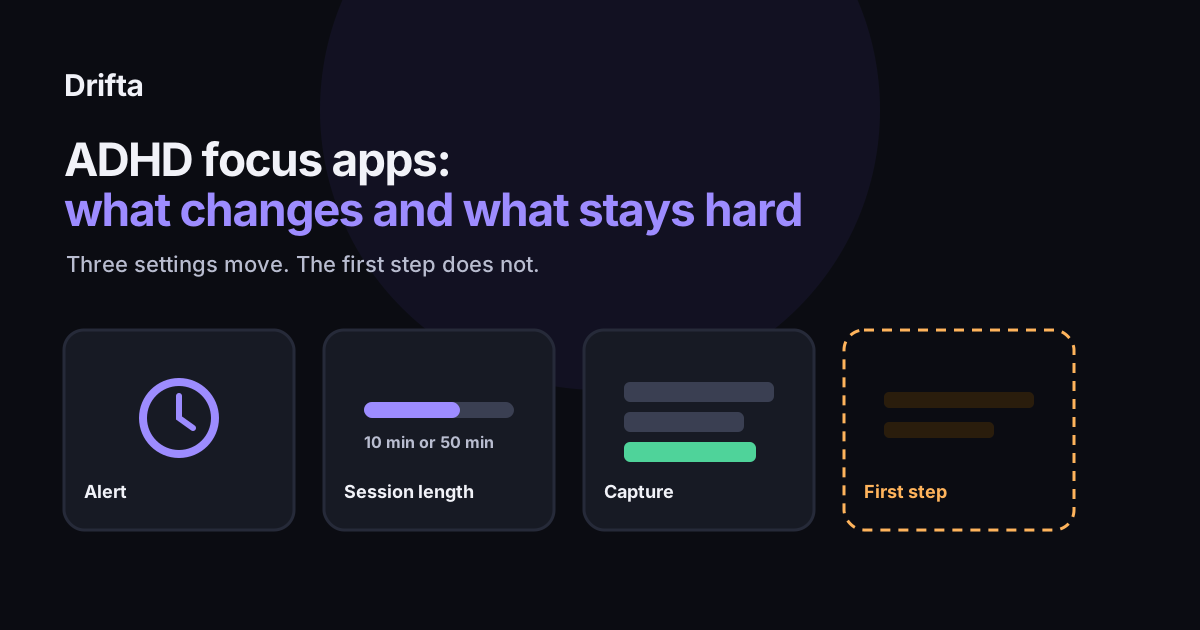
An ADHD focus app changes three things: how you learn that a work block has ended, how long each block runs, and how quickly a stray thought gets written down without breaking the block. It cannot make a task start, choose which task matters, or fit a plan to your real hours. Pick the app by the friction that stops you most often, because that is the setting that will change your week.
An ADHD focus app changes three things: how you learn that a work block has ended, how long each block runs, and how quickly a stray thought gets written down without breaking the block. It does not make a task start, choose which task matters, or fit a plan to your real hours. Pick the app by the friction that stops you most often, because that is the one setting that will change your week.
The need is large. According to the CDC's MMWR report on adult ADHD, published in October 2024, an estimated 15.5 million U.S. adults, or 6.0 percent, had a current ADHD diagnosis in 2023 (Staley et al., MMWR Vol. 73, No. 40). That is a lot of people searching for the same few fixes, so this guide sorts the category by what each feature actually moves.
What does a focus app actually change?
A focus app changes the environment around one block of work. It gives you a countdown you can see, an alert when the block ends, and sometimes a block on other apps while the timer runs. Those are real changes, and for some people they are the whole fix. For others, the block starts and ends on time and the task still never opens, because the trouble was the first step, not the clock.
Most apps in the category combine the same three settings in different amounts. The table shows what each one moves and what it leaves alone, which is the part most feature lists skip.
| Setting | What it changes | What it leaves alone |
|---|---|---|
| Alert at the end | How you learn a block is over, and whether that alert can get through | Whether you return to the same task |
| Session length | How many times you have to start in an afternoon | Whether the first minute of any start is easy |
| Capture | Where a stray thought goes while the block is running | Whether that thought is ever scheduled |
Does the end-of-block alert get through?
An alert only helps if you notice it. Apple's support page on notifications says that for each app, Time Sensitive delivery is something the app can offer: "If the app supports it, turn on Time Sensitive Notifications" (Apple Support, Change notification settings on iPhone). A focus app therefore depends on two things: whether it offers that setting, and whether you have turned it on in iPhone's notification settings for that app. Check both before you trust a timer that ends while you are halfway through a sentence.
Your work Focus mode is the other thing to test. Set a 25-minute block, turn on the Focus you use for work, and see whether the end alert arrives. If it does not, the timer is solving the wrong problem for you at that hour.
How long should one session run?
Session length decides how many times you have to start, and each start is a place where you can stall. Take a two-hour afternoon from 1 p.m. to 3 p.m., which is 120 minutes. Here are two setups, with numbers worked out from those minutes:
- 10-minute blocks with 2-minute breaks. Each cycle takes 12 minutes, so 120 divided by 12 gives 10 starts.
- 50-minute blocks with 10-minute breaks. Each cycle takes 60 minutes, so 120 divided by 60 gives 2 starts.
If the first minute of a task is the hard part, the 10-minute setting gives you five times as many chances to find that minute. If you start easily and then drift once you are going, the 50-minute setting leaves more room to drift before the break. Pick the one that matches where your attention actually breaks. For how to set the length and what to do when the timer rings, see how to use a focus timer with ADHD.
What about capture during a block?
Capture is the setting people underrate. A stray thought during a block, like "email the landlord about the sink", pulls you out if you have to leave the timer to write it down. A good capture keeps the block intact: you say or type the thought in one or two seconds, and the item goes into a list you review later instead of into your head.
Drifta, an iPhone task app for ADHD, uses voice capture built on Apple's speech recognition. The free plan allows three voice captures, and Pro includes unlimited voice capture along with its focus sessions and custom lists. Test any capture method for a week. If you find yourself stopping to decide where a thought belongs, the capture is costing you more than the thought.
What no focus app can fix
Three problems stay with you no matter which app you pick. The first is starting a task you want to do but cannot begin. The second is choosing among several tasks that all feel urgent. The third is a day planned for a version of you that does not exist on Tuesday afternoon.
Noreika, Falter, and Rubia reviewed the timing research in ADHD in 2013 and described time-processing differences as an independent deficit linked to ADHD behavior (Neuropsychologia, Vol. 51, No. 2). A countdown shows you the time, but it does not make the time feel any shorter or more real. That is why a focus timer works best alongside a plan that names one start point for the day. A simple version of that plan is in a five minute daily plan for ADHD brains.
How do you choose a focus app in four steps?
- If you cannot start, shorten the session first and write down the smallest first step before the timer runs.
- If you start and then drift, check the end-of-block alert and its Time Sensitive setting, then try a longer block.
- If stray thoughts pull you out, test capture for one week and count how often you stopped to file something.
- If the list itself is the problem, no focus app will fix it, so change how you plan the day first.
Judging an app by its label is a separate skill. For a checklist that looks past the ADHD marketing, read what makes an app ADHD friendly beyond the label. Start with the one friction you named, change one setting, and keep the change for a week before you switch again. Changing apps every few days resets the test before it can tell you anything.
Common questions
Is a focus app enough on its own for ADHD?
No. It changes the block and the end-of-block alert. Your plan for the day stays on you. It helps in the middle of the work, but it does not pick the task or make the first step smaller. Pair it with a short daily plan and a first step you can start in under five minutes.
Which focus app setting matters most?
Session length matters most if you cannot start, and the end alert matters most if you start and then lose the thread. Capture matters when stray thoughts are the main interruption. Test one setting at a time for a week so you can tell which change helped.
Do focus apps work alongside an iPhone Focus mode?
They can, but check it. An end-of-block alert has to get through the Focus mode you use for work. Apple lets each app offer Time Sensitive delivery, and you turn it on in that app's notification settings, so confirm both on the phone before you rely on the alert.
Is a focus timer the same thing as a task app?
No. A focus timer runs one block of time. A task app holds what you need to do across days and weeks. Some apps combine the two, but the timer only solves the block, and the list still has to be kept honest by you.
This article shares practical organizing ideas. It is not medical advice. For diagnosis or treatment questions, talk with a qualified clinician.