How to run a todo list for the whole week
Drifta is an iPhone task app for ADHD that gives every task its own time window.
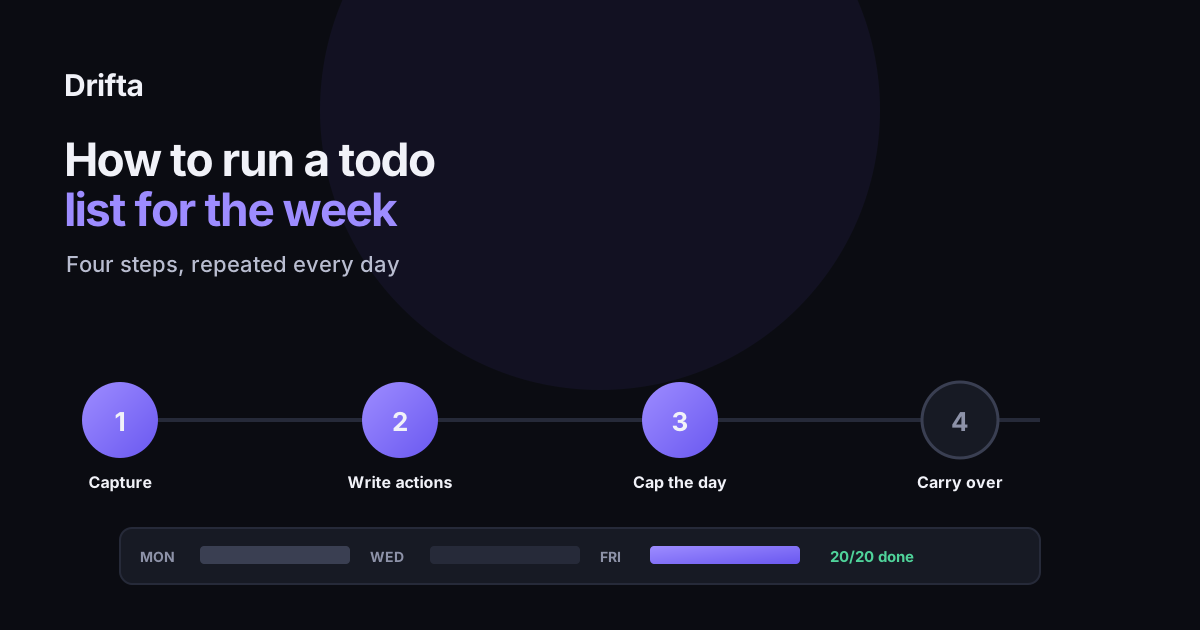
Running a todo list is a daily habit, not a one-time setup. Capture everything in one place, write each line as a specific action instead of a topic, cap today's list before the day starts instead of mid-afternoon, and decide on purpose what happens to whatever's left at day's end. Most todo lists fail at that last step: items get silently recopied day after day instead of being carried over, dropped, or rescheduled on purpose.
A todo list is a short, standing record of tasks you intend to do, organized well enough that you can act on it without re-reading the whole thing. Running one well is less about the first list you ever write and more about what you do with it every day after: how you add new items, how you cap what fits, and what happens to whatever's left over at the end. Most guides stop at the first list. This one covers the four steps that keep a todo list working past day one.
Step one: capture everything in one place
Before organizing anything, every task needs to land somewhere that isn't your memory: one notes app, one list, one notebook, not three competing places that each hold half of what you're tracking. A task written on a sticky note, another texted to yourself, and a third remembered "for later" are three different systems pretending to be one. Pick a single capture spot before anything else, even if it's messy at first.
Does the capture spot need to be an app?
No, but it needs to be one place you'll actually open twice a day. A paper notebook works as well as a phone app, as long as you keep it within reach; an app mostly wins because most people already carry a phone everywhere, including into the moment a task actually comes to mind, like standing in a parking lot remembering the oil change is overdue. On iPhone specifically, adding a task by voice removes the last excuse for not writing something down the second you think of it, since typing isn't required at all. The format matters less than whether the capture spot survives contact with an ordinary Tuesday.
Step two: write each line as an action, not a topic
"Dentist" is a category, not a task, and it carries no obvious next move. "Call the dentist to reschedule the 2:40 slot" is a task, because it tells you exactly what to do the moment you read it. The same fix applies everywhere: "groceries" becomes "buy milk, eggs, and dish soap before 6pm"; "car" becomes "check when the registration expires." How to cut decisions out of your task list covers this rewrite in more depth, since a list full of topic-sized items forces you to re-decide what each one means every time you read it, which is its own hidden tax on top of doing the work.
Step three: cap today's list before the day starts
A study by iDoneThis found that 41% of items on to-do lists are never completed, and a separate LinkedIn survey of more than 6,000 professionals found that only 11% of respondents regularly finish everything on their daily list. The common cause behind both numbers has little to do with laziness. Both come from a list sized for an ideal day instead of a real one. Setting the cap before you start, three to five items for most people, forces the oversized items to wait in a second list instead of crowding today's.
Step four: decide what happens to what's left over
This is the step most todo lists skip, and it's the one that determines whether the system survives a second week. Each evening, every unfinished item needs one of three outcomes, decided on purpose: it carries over to tomorrow because it's still today's priority, it moves to a later list because it isn't urgent, or it gets deleted because it stopped mattering. Today, next, later: a three list system that stays small covers building that second and third list so "carry over" has somewhere specific to go instead of just staying on today's list by default.
A worked week: what carryover actually looks like
Here's a plain Monday-through-Friday run, tracking what got added, what got finished, and what got carried into the next day on purpose rather than by accident.
| Day | Added | Completed | Carried over |
|---|---|---|---|
| Monday | 5 | 4 | 1 |
| Tuesday | 4 new + 1 carried = 5 | 4 | 1 |
| Wednesday | 3 new + 1 carried = 4 | 4 | 0 |
| Thursday | 5 | 3 | 2 |
| Friday | 3 new + 2 carried = 5 | 5 | 0 |
Twenty new tasks went onto the list across the five days, and all twenty were finished by Friday evening: none abandoned, none silently recopied into a second week. Thursday's two leftovers took the longest, clearing Friday morning instead of the same evening. Measured against the 41% that iDoneThis found never gets done at all, a week where every task still gets finished, just not always the same day it was added, is what deciding on the carryover each evening actually buys you.
When a daily carryover isn't enough
If the same few items keep carrying over for most of a week, or the list feels unreadable by Wednesday no matter how carefully you cap it, a daily carryover is no longer the right fix. You did a brain dump. What to do with the list next covers the bigger reset: dumping the whole list back out and rebuilding it from scratch, which is a different and heavier move than carrying items forward one more day.
Drifta handles step four with three separate lists instead of one, Daily Tasks, Up Next, and Backlog, so an item that isn't finished by evening moves to Up Next or Backlog instead of reappearing as tomorrow's version of today's list. A progress view keeps a record of what actually got done each week, which is the part a plain carryover habit tends to lose track of on its own.
Common questions
How many items should be on a todo list each day?
Most people can realistically clear three to five items on a normal day, once each one is written as a specific action rather than a vague category. A list that routinely runs past ten or twelve has turned into a backlog that's borrowing a todo list's name.
Should unfinished tasks carry over to tomorrow automatically?
Not without a decision attached. An item that's carried over five days running is usually a task you're avoiding or one that no longer matters, not a real priority. Copying it forward without looking at it just delays that decision instead of making it.
Is a paper todo list as good as an app for this?
The steps in this guide work the same on paper as they do in an app. An app adds reminders, recurring tasks, and a record of what you've finished; paper adds nothing you have to open or charge. Pick based on which one you'll actually look at twice a day, not on features.
What's the difference between a todo list and a planner?
A todo list tracks tasks: discrete things to do and check off. A planner usually adds a time dimension, blocking out when each task happens against a clock or calendar. A todo list can exist without a planner, but a planner without a todo list underneath it tends to have nothing concrete in the blocks.
This article shares practical organizing ideas. It is not medical advice. For diagnosis or treatment questions, talk with a qualified clinician.