Task paralysis: four signs, four first moves
Drifta is an iPhone task app for ADHD that gives every task its own time window.
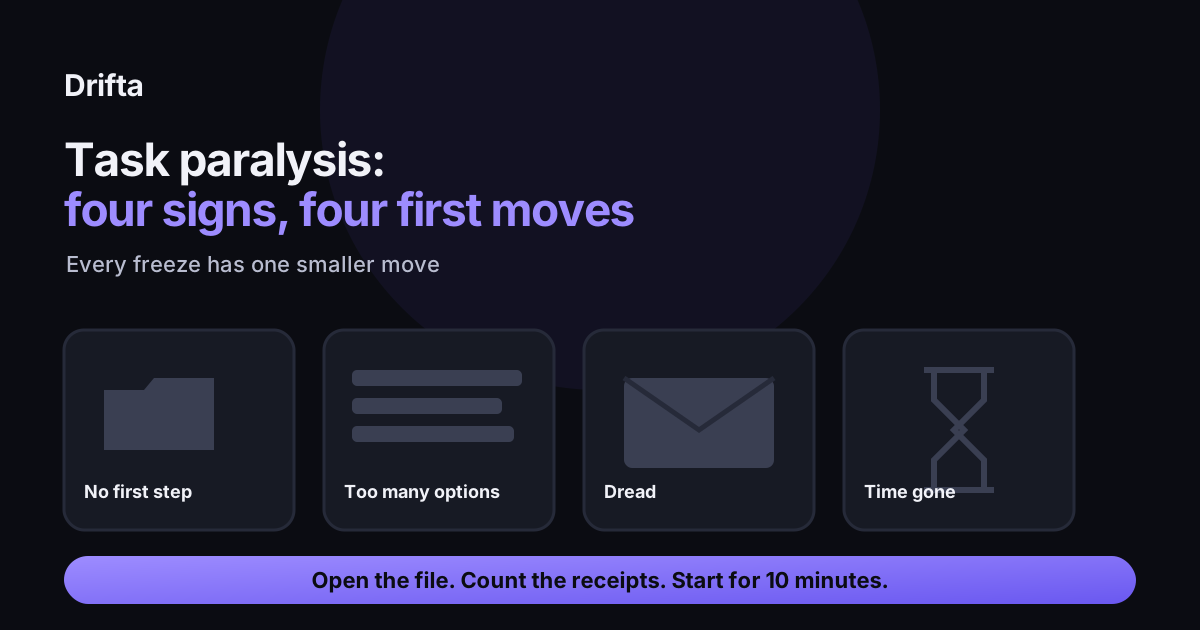
Task paralysis is a freeze: you want to start a task, but the first action never comes. The Child Mind Institute describes it as a shutdown that happens when problems with starting, planning, and managing time collide, so the fix is a smaller first move rather than more willpower. Four signs show up most often: no visible first step, too many options, dread, and time that disappears before you begin.
Task paralysis is the feeling of being frozen in front of a task you want to do. The wish to start is there, but the first action never arrives, and the longer the freeze lasts, the heavier the task feels. Four signs show up most often, and each one has a first move that is smaller than the task itself.
What does task paralysis feel like from the inside?
It feels like staring at something you know how to do and being unable to pick it up. The Child Mind Institute describes ADHD paralysis as a shutdown that happens when problems with procrastination, executive function, starting tasks, time management, and planning ahead collide. Dr. Larisa Litvinov, a senior psychologist at the institute's ADHD and Behavior Disorders Center, describes the freeze as coming from being overwhelmed, not from not knowing how to do the task. That distinction changes the fix. If the problem is overwhelm, a better plan will not help much. A smaller first move will.
Sign one: the task has no visible first step
A task called "finish the tax folder" asks your brain to invent its own first move before it can act. That invention is where many freezes happen. The first move is the one physical action that starts the work, such as opening the folder or putting the receipts into one pile. Write it as "open X" or "put Y in Z," so you can do it without deciding anything else. If you cannot find that action, the smallest-next-step method walks through how to dig it out of a big task.
Sign two: every option looks equally urgent
This freeze shows up when the list has ten items and each one could be the right one. You look at the list, compare everything, and pick nothing. The first move is to cut the list down to the items with a real deadline today, then choose the one whose window opens first. Stopping after the cut matters more than the ranking. The longer version of this is in the article on what to do when everything feels equally urgent.
Sign three: the task carries dread
Some tasks are not hard. They are a phone call you keep postponing, or an email to a landlord you have rewritten four times. The freeze comes from the feeling attached to the task. The first move is to name the worst part in one sentence, such as "I have to ask for the refund and they might say no," and then do the two-minute version: type the first line of the message, or dial and let it ring once. The emotional side of starting is covered in why you cannot start a task you want to do.
Sign four: the time disappears before you start
Here the freeze is about the clock. You sit down at 2:15 p.m. meaning to begin, and the next thing you notice is 3:40 p.m., with nothing done and a vague sense that you were busy. The first move is to set a start window instead of a finish time. Something like "between 2:15 and 2:25, open the file" works because it asks for ten minutes, not the whole afternoon. When the window closes, you stop, even if the task is still open on the screen.
A worked example: one Tuesday, one expense report
Say the task is "submit the expense report," due Friday at 5 p.m. On Tuesday at 1:00 p.m. you are stuck, and all four signs show up at different points in the next hour. Here is what each first move looks like on that one task.
| Sign | What you notice | First move | Time it asks for |
|---|---|---|---|
| No first step | "Expense report" feels like a blank page | Open the receipts folder and count the receipts | 2 minutes |
| Too many options | The report, the rent letter, and a call are all open | Close everything except the report, then keep only Friday's deadline | 1 minute |
| Dread | Thinking about the reimbursement rejection makes you close the tab | Write the first line of the note to finance | 3 minutes |
| Time gone | 1:00 to 1:40 p.m. went to scrolling | Start window 1:45 to 1:55, then stop | 10 minutes |
Notice that none of the first moves asks you to finish. Each one ends with something you can see, which is the point. The report does not get submitted on Tuesday afternoon, but by 2 p.m. it has a folder, a list of receipts, and a first sentence, and that is more than the freeze allowed for at 1:00.
How do you tell which sign you have?
Ask what you notice first. If you cannot picture the first action, it is sign one. If you can picture several tasks and none of them wins, it is sign two. If your shoulders tighten when you think about the task, it is sign three. If the time vanished before you noticed it going, it is sign four. A freeze can mix two signs, so start with the one that showed up first and move to the next only if that first move fails.
What should you do when the first move still does not start?
Make the move smaller, not the plan bigger. If "open the receipts folder" did not work, try "look at the top receipt." Set a timer, stop when it rings even if you are mid-thought, and write down which sign you hit. After a week, the notes usually show one sign that keeps coming back. That is the first move to try first next time.
Drifta, an iPhone task app for ADHD, has one feature that helps with sign four. Each task can have an earliest start time and a deadline, and the task stays quiet until its window opens. You can give the expense report a start window on Tuesday afternoon and let the app hold it back until then, so the freeze does not come with a reminder every twenty minutes before you are ready.
Common questions
Is task paralysis the same as procrastination?
Not by the Child Mind Institute's account. Procrastination is a choice to delay, while paralysis is a freeze in which the wish to act is present but the start does not come. The difference changes the fix: a freeze needs a smaller first move, while procrastination often needs a reason to begin.
Is task paralysis an official ADHD symptom?
No. The Child Mind Institute article says ADHD paralysis is not an official symptom. It describes a pattern that appears when several ADHD-related challenges, such as starting tasks, planning ahead, and managing time, combine. If freezes are frequent or get in the way of work or daily life, a clinician can help you sort out what is going on.
What if the first move still does not start?
Shrink it again. If "open the receipts folder" did not work, try "look at the top receipt." Set a short timer, stop when it rings, and write down which sign you hit. Patterns usually show up within a week of writing them down.
This article shares practical organizing ideas. It is not medical advice. For diagnosis or treatment questions, talk with a qualified clinician.