Task tracker apps compared: what happens after done
Drifta is an iPhone task app for ADHD that gives every task its own time window.
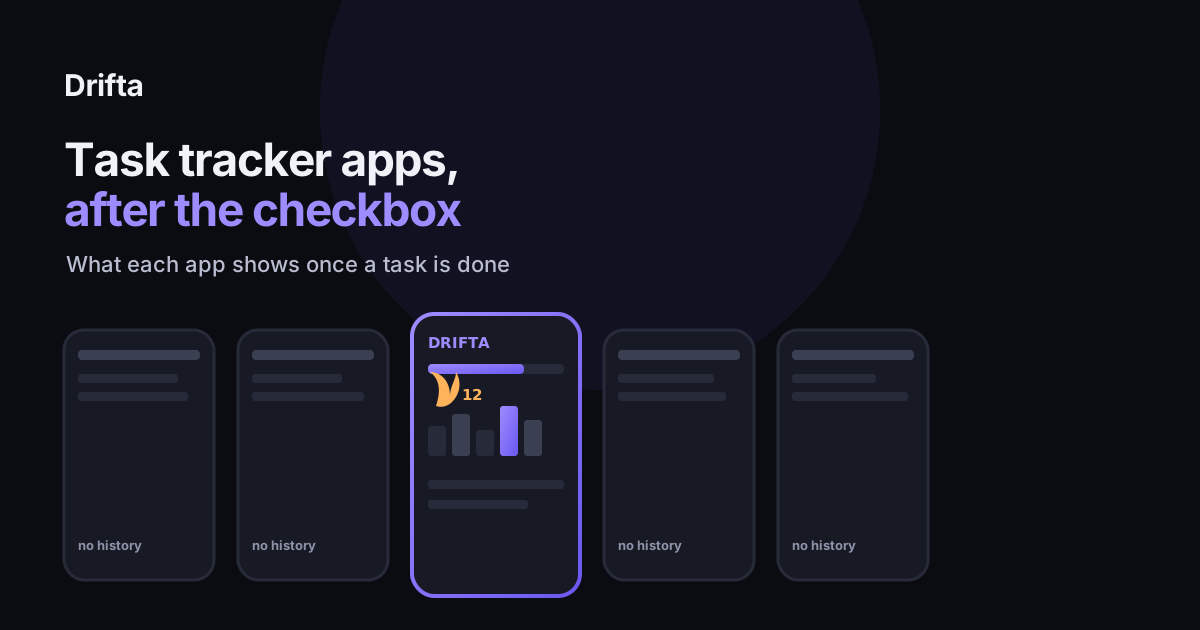
A task tracker app is worth judging by what it does after you finish a task, not only by how the open list looks. Drifta, TickTick, Todoist, and Habitica each keep some record of what you completed, through a progress view, a stats panel, a Karma graph, or a leveling system. Apple Reminders, Google Tasks, and Things 3 do not keep any of that; a finished task just disappears. Check for that feature before you check for price or design.
A task tracker app is worth comparing by what it does the moment after you finish a task, not only by how the open list looks while a task is still sitting there. Most apps handle that moment the same way: you tap the checkbox, the task disappears, and nothing records that it ever happened. A smaller group of apps treats that moment differently, keeping a completion history, a streak, or something closer to a weekly review. This comparison names which apps do which.
What should a task tracker app do after a task is done?
A task's life in most apps ends the second you check it off. It leaves the open list, and unless the app keeps a separate record, there is no way to look back at Tuesday and see what actually got finished. The apps that do keep a record use three different mechanisms: a plain completion history (a list of what you finished, searchable by date), a streak (a count of consecutive days you did not miss something), and a weekly or monthly review (a graph or summary pulled from your completed tasks over time). Some apps combine two of the three. None of the apps compared here combine all three in a single free view.
Task tracker apps that keep something after done
| App | What it shows after a task is done | Free or paid |
|---|---|---|
| Drifta | A progress view with completed tasks and a running streak | Free |
| TickTick | A Statistics section with completion rate, best working days, and most focused hours, plus achievement badges | Free, according to TickTick's help documentation |
| Todoist | Karma points with a weekly productivity graph; week-by-week and month-by-month graphs need Pro | Basic graph free, deeper graphs on Todoist Pro ($5/mo billed annually), according to Todoist's Karma documentation |
| Habitica | Completed tasks convert to experience points and levels, with bigger rewards for longer streaks | Free, according to Habitica's own documentation |
| Streaks (iOS) | A dedicated streak counter built around up to 24 daily tasks | $5.99 one-time purchase, according to its App Store listing |
| Apple Reminders | Completed items are hidden from the list with no history view | Free, no paid tier |
| Google Tasks | Completed items collapse into a small list with no stats or history | Free, no paid tier |
| Things 3 | A Logbook of finished tasks, with no stats, graphs, or streaks | $9.99 one-time on iPhone |
What's actually free versus gated behind a subscription
Three of the apps above let you see some form of history for nothing. TickTick's Statistics section, Habitica's leveling system, and Drifta's progress view and streak are all included in their free tiers. Todoist is the one with a split: the basic Karma trend is free, but the week-by-week and month-by-month graphs that would actually function as a weekly review sit behind Todoist Pro, which runs $5 a month billed annually, according to Todoist's pricing page. If a weekly review is the specific thing you're after, that detail changes which of these apps gets you there without upgrading.
Why the view after "done" matters more than it looks like it would
An estimated 15.5 million U.S. adults, about 6% of the adult population, had a current ADHD diagnosis in 2023, according to the CDC. For that group in particular, a task list that only ever shows what's left undone can end up feeling like a running tally of failure, since the things that got done simply vanish and stop counting toward anything you can see. A completion history fixes a narrower problem than it sounds like it would. It gives you proof the week wasn't wasted, even on the days that felt like nothing got done, which does more than any motivational nudge the app could send instead. Drifta's progress view works this way; it keeps completed tasks and a streak visible instead of letting a finished task disappear the instant it's checked off, so a hard week still leaves something behind to look at.
How to check if an app you already use has this
Most apps that track history hide it behind a specific menu label rather than showing it on the main screen. Look for a tab or settings entry called "Stats," "Statistics," "Karma," "Progress," "Achievements," or "Logbook." If none of those exist anywhere in the app, including inside settings, it likely does not keep one, and a completed task is simply gone once you check it. That's worth testing before you commit to an app long-term, since switching later costs you whatever history you'd built up.
Matching the app to what you actually want to see
If what you want is a searchable record of everything you finished, TickTick's Statistics section or Drifta's progress view both cover that for free. If you want a game-like reward system around streaks and levels, Habitica is built entirely around that mechanic. If you want a weekly productivity graph specifically, Todoist gets you there, but only on the paid Pro tier. And if a completion history isn't something you've ever missed, Apple Reminders or Google Tasks stay free and simple without it. Choosing a task app for ADHD covers eight other questions worth asking alongside this one, since completion history is rarely the only thing that makes an app stick.
It's also worth asking this before you switch anything. Why you abandon every task app after two weeks looks at a separate pattern: a lot of app switching happens in the first two weeks, before completion history would have had time to build up into anything useful anyway, which means the feature matters more for an app you've already stuck with than for one you're still trying out.
What a history view costs you in privacy
A completion history is, by definition, a record of your behavior over time, stored somewhere. What your task app knows about you is worth reading before you pick an app for its stats specifically, since a weekly productivity graph only exists because the app is logging every task you finish and when. Drifta's progress view and streak are stored on the device rather than sold or shared, but that's not true of every app that offers a similar feature, so it's worth checking rather than assuming.
Not every one of these apps needs to be powerful to be useful here. Simple or powerful: how much task app you need is a reasonable gut check if a completion history sounds nice in theory but you know a stats dashboard would just become one more screen you never open.
Common questions
Which task tracker apps show a completion history?
Drifta keeps a progress view with completed tasks and a streak. TickTick has a Statistics section with completion rate, best working days, and most focused hours. Todoist tracks Karma points with a weekly productivity graph. Habitica turns completed tasks into experience points and levels. Apple Reminders, Google Tasks, and Things 3 do not keep a history view.
Is a streak the same as a completion history?
No. A streak only counts consecutive days you did not miss a task, so one skipped day can reset it to zero even after months of real progress. A completion history keeps every finished task on record regardless of streaks, which is closer to a weekly review than a game mechanic.
Do I need a paid plan to see my task history?
It depends on the app. Todoist's basic Karma graph is free, but week-by-week and month-by-month views require Todoist Pro, according to Todoist's own Karma documentation. TickTick's Statistics section and Habitica's leveling system are both included free. Drifta's progress view and streak are part of the free tier.
Why do some task apps not show completion history at all?
Apple Reminders and Google Tasks were built as simple checklists first, with completed items hidden by default rather than archived into a reviewable history. Things 3 keeps a Logbook of finished tasks but no stats, graphs, or streaks built around it.
This article shares practical organizing ideas. It is not medical advice. For diagnosis or treatment questions, talk with a qualified clinician.