Drifta for everyday follow-through
Dismissed the reminder. Forgot the task?
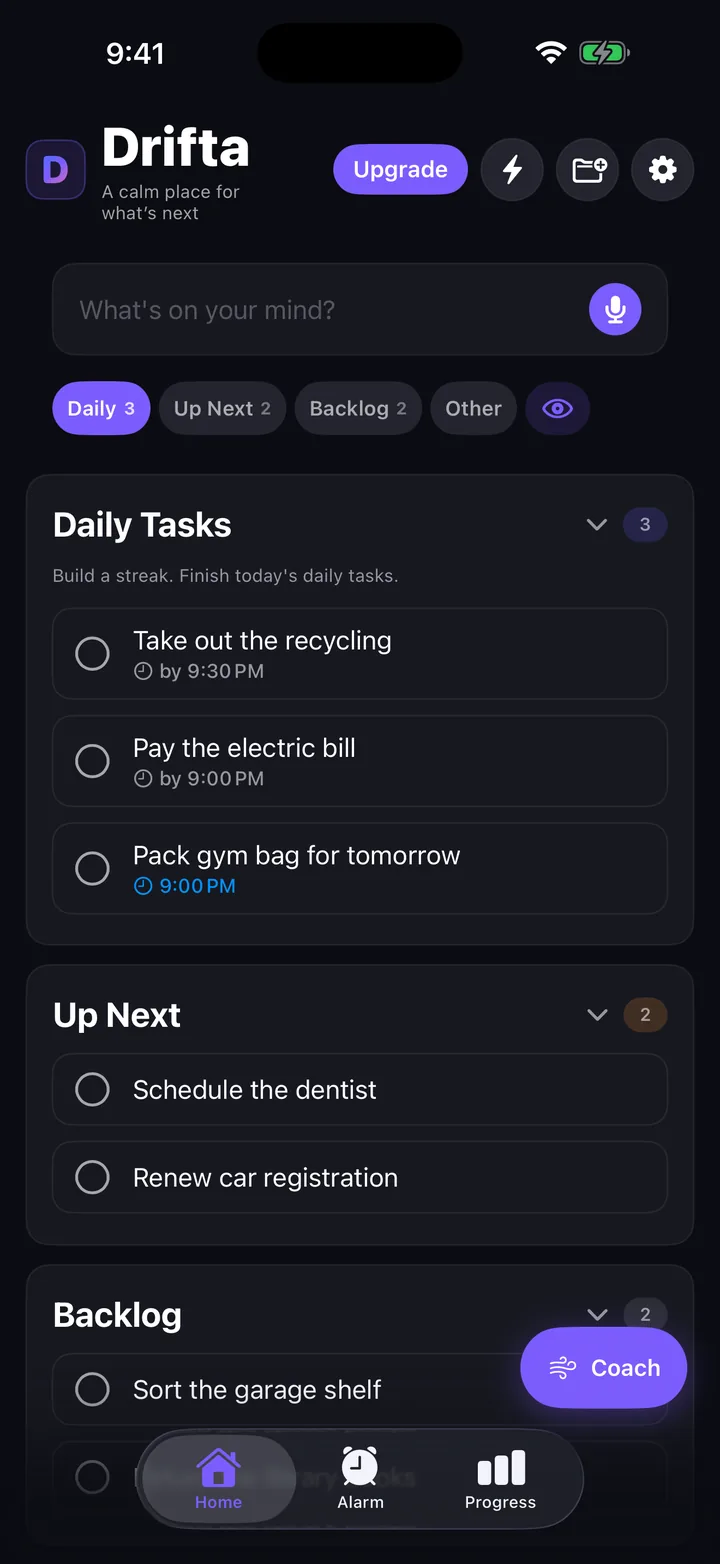
Keep the home and work tasks that slip in view. Drifta gives each one a realistic time window, with reminders while you can act.
Free to start on iPhone. Pro is optional.
Try it with the task you keep putting off.
Return the package. Send the invoice. Take out the recycling. Start with one real next action, then follow it through in Drifta.
-
Choose your next task
On Home, choose Up Next for a one-time task or Daily for something that repeats. Type it into “What's on your mind?” and tap the up arrow to add it.
-
Give it a time you can act
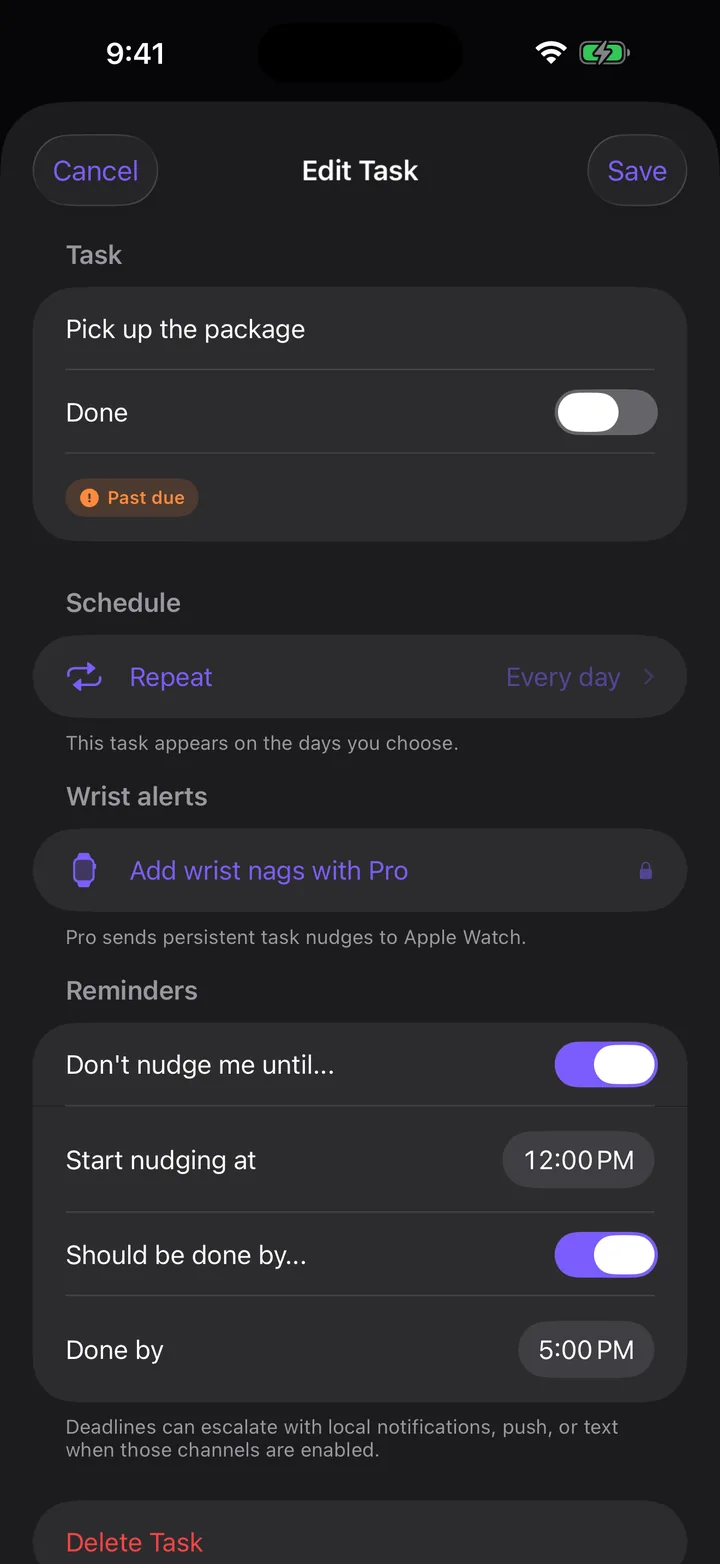
Tap the task to open Edit Task. Turn on “Don't nudge me until...” and set Start nudging at. Turn on “Should be done by...”, set Done by, then tap Save. For a one-time task, check its Complete by date too.
-
Finish it and see what you did
Allow notifications and check your quiet hours. When you finish, tap the task's completion circle. Open Progress to see your completed tasks instead of trying to remember what got done.
Task reminders follow your iPhone notification settings. Focus and quiet hours can silence them.
“After lunch” is more useful than “later.”
The package counter opens at noon. You need to collect it by five. Set both ends of that window so the task can wait until there's something you can do.
- Before noon
- The task waits quietly.
- Noon to 5 PM
- Reminders check in while the window is open.
- When it's done
- Mark it complete. Its reminders stop.
Example times. Choose a window that fits your day.
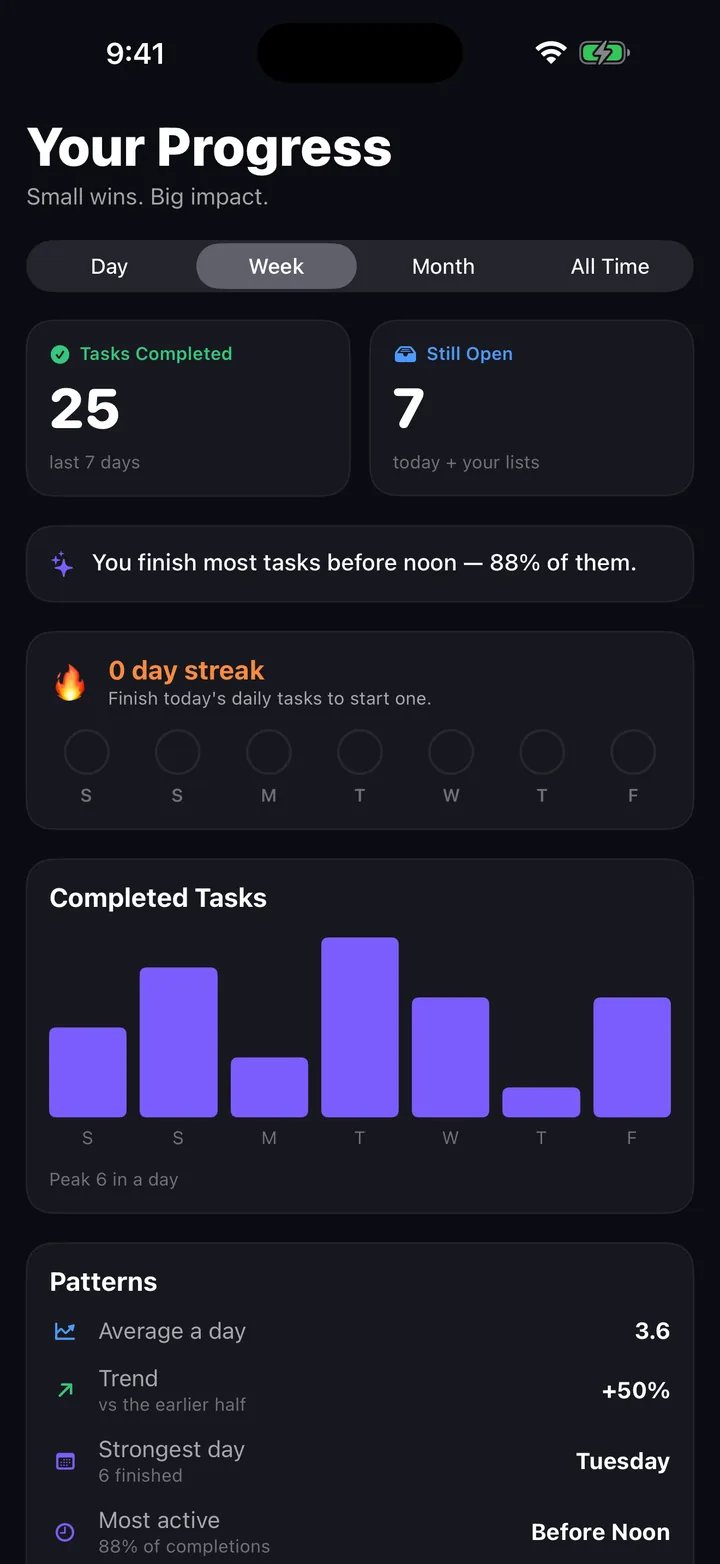
A finished task counts, even on a messy day.
The list keeps your next action visible. Progress lets you look back at completed tasks. Start again with the next useful thing.
Try the whole loop for free.
Up to 10 daily tasks, time windows, quiet hours, three voice captures, and a five-minute focus timer.
Optional Pro is $4.99/month or $29.99/year in the U.S. Billed through Apple.

Before you try it
What if I dismiss the reminder again?
Dismissing a notification does not complete the task. It remains in your list. Drifta checks in again while its reminder window is open, subject to your notification settings, snooze choices, and quiet hours.
Is this for habits or one-time tasks?
Both. Use Daily for repeating tasks and Up Next for one-time things you need to do soon. Backlog holds tasks that can wait. You can try it with home chores, work follow-ups, or small errands.
Do I need Pro for task reminders?
No. Time windows, local task reminders, and quiet hours are included free. The free plan supports up to 10 daily tasks, three voice captures, and a five-minute focus timer. Pro is optional.
Does Drifta track what I do?
The iPhone app has no analytics or advertising trackers. Your task list lives on your device. Optional online features have their own disclosures. This website's analytics are separate and off until you opt in through Privacy settings. Read the privacy policy.
Will I have to move my whole task list?
No. Try one task first. Keep your existing list as a reference, then bring over the next task if the approach helps. Use the first-task checklist if you want a little structure.
Give the next task a chance to get done.
One task. A window that makes sense. A place to come back to.
Free to start on iPhone. Need help getting started?