Best ADHD planner app: planner vs. task manager
Drifta is an iPhone task app for ADHD that gives every task its own time window.
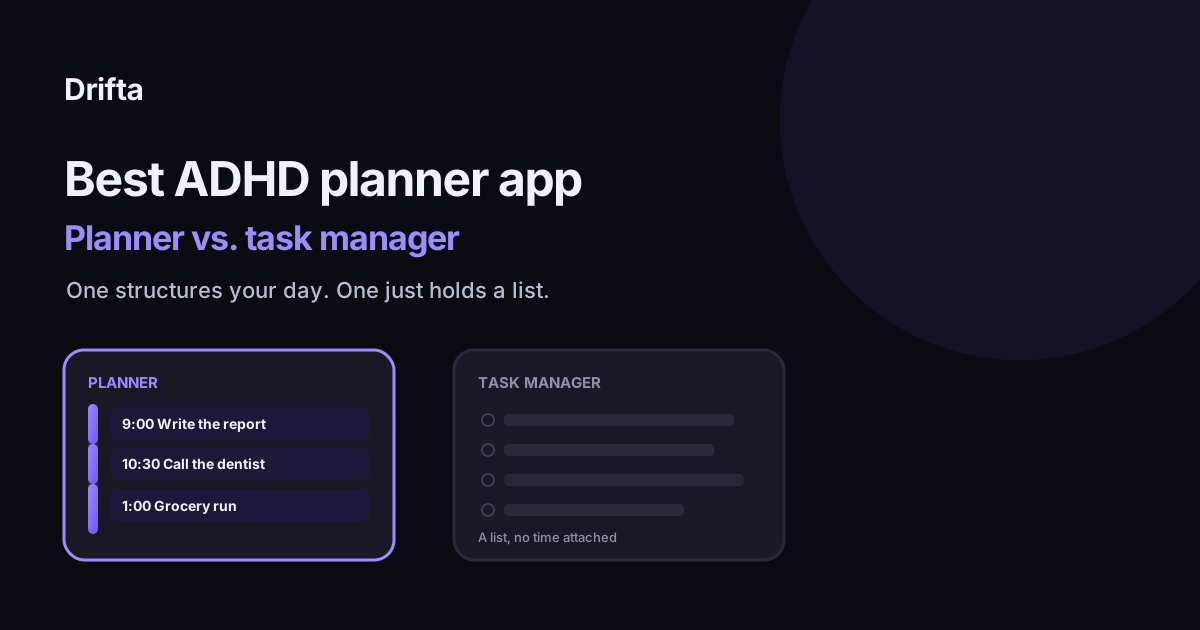
The best ADHD planner app is the one that decides when you'll do something, not just what needs doing; that's the actual difference between a planner and a task manager. Tiimo, Sunsama, Structured, and Drifta all build a day around your tasks in different ways, while apps like Todoist or Apple Reminders mostly hold the list and leave the "when" to you. Which planner fits depends on how much of that "when" decision you want the app to make for you.
The best ADHD planner app is the one that actually decides when you'll do something, not just what needs doing, which is the real line between a planner and a task manager. Todoist and Apple Reminders hold a list well but leave "when" up to you every single day. Tiimo, Sunsama, Structured, and Drifta all build a version of your day around that list, just with different amounts of structure and different amounts of flexibility when the day doesn't cooperate.
Planner and task manager aren't the same thing
A task manager answers "what needs doing" with a list, sorted by due date or priority. A planner answers a harder question: "when, today, does each of those things actually happen." That second question is where a lot of ADHD-specific struggle lives, and it's not a small distinction. A World Health Organization-backed study of more than 7,000 workers across ten countries found that adults with untreated ADHD lose an average of 22 days of productivity a year, and the bulk of that loss came from reduced work quality and quantity while still technically at work, not from missing days entirely. That's a "when" and "how" problem more than a "what" problem: the tasks were known, the day around them wasn't holding up.
Why plans made the night before still fall apart
Psychologists Daniel Kahneman and Amos Tversky named this the planning fallacy back in 1979: people reliably underestimate how long a task will take and how smoothly a day will go, even when their own past days have gone the same way before. A planner app doesn't cure that bias, but a good one is built to absorb it, by making the plan easy to adjust once reality disagrees with the morning's estimate, instead of requiring you to manually rebuild the whole day from scratch.
Four planners, compared
| App | Structure style | Best fit |
|---|---|---|
| Tiimo | Visual timeline with routines | You think in pictures and want the whole day visible at once |
| Sunsama | Guided daily planning ritual | You want a forced morning review before the day locks in |
| Structured | Single vertical day timeline | You want one screen, tasks and time blocks together |
| Drifta | Time windows, not fixed blocks | You want a plan that flexes when a block runs long |
Tiimo has leaned hardest into the visual-timeline approach and was named Apple's App of the Year for 2025, a sign of how much demand there is for a planner that shows time as a picture rather than a list of numbers. Sunsama goes the opposite direction, opening with a required planning screen each morning that won't let you skip straight to the task list. Structured sits in between: one timeline, tasks dropped directly onto it, no separate planning ritual required.
Where fixed time blocks run into trouble
Tiimo, Sunsama, and Structured all share one structural trait: a task gets a specific start and end time on the timeline, the same idea behind traditional time blocking. That works well until a block runs over, at which point something has to give, usually by manually dragging the rest of the day later. Drifta handles this differently by giving each task an earliest start and a deadline instead of a fixed slot, so a task that can happen anytime between 1 and 5 p.m. doesn't need defending against a call that ran fifteen minutes long. A five minute daily plan for ADHD brains covers a lighter version of this same idea: spend five minutes deciding roughly when things happen, not exactly when, so a slow morning doesn't wreck the whole plan.
Paper still has a case
None of this makes paper obsolete. A paper planner has zero notifications to dismiss and nothing to sync, which for some people is exactly the point: the plan only exists if you physically open the notebook and look at it, and that friction is sometimes the feature. Paper planner or app? Choosing for an ADHD brain walks through when the lack of notifications helps versus when it just means the plan gets forgotten entirely.
Eight questions before you commit to one
Before picking any planner off this list, How to choose a task app for ADHD: eight questions to ask is worth working through, since most of the real differences between these apps only show up once you know what you actually need a planner to do on a bad day, not a good one. A planner that only works when the day goes as planned isn't really solving the problem a planner exists for.
What "ADHD-friendly" should mean here
A lot of planner apps put "ADHD" in their marketing without changing much about how they handle a day that goes sideways. What makes an app ADHD friendly beyond the label is the more useful filter: does the app make it fast to move three tasks to tomorrow without guilt or friction, or does a missed block turn into a cascade of manual rescheduling that eats more time than the missed task would have taken in the first place.
Picking one
Start with whichever failure you actually have. If your list is accurate but the day around it keeps slipping, a planner earns its place over a plain task manager. If you like seeing the whole day as one picture, Tiimo or Structured fit that instinct. If mornings are the hardest part, Sunsama's forced ritual might be worth the friction. If what breaks your plans is one task running long and derailing everything after it, a window-based planner like Drifta is built around exactly that failure instead of around a perfect day that rarely shows up.
Common questions
What's the real difference between a planner app and a task manager?
A task manager holds a list of what needs doing, usually with a due date attached. A planner app additionally decides, or helps you decide, when during the day each task happens, whether that's a fixed time block, a guided morning ritual, or a flexible window. Todoist and Apple Reminders are task managers first. Tiimo, Sunsama, Structured, and Drifta are planners.
Do I need a planner app if I already use a task manager?
Not always. If you reliably decide when to do things on your own, a task manager alone is enough. A planner app earns its place once the list itself is accurate but the day still doesn't happen the way the list implies, which is a "when" problem, not a "what" problem.
Is a paper planner better than an app for ADHD?
Neither is universally better; each solves a different failure. A paper planner has no notifications and forces the plan into view every time you open it. An app can adjust when a task doesn't happen on schedule and remind you as the window arrives. Paper planner or app? Choosing for an ADHD brain covers the tradeoff in more detail.
How do I know if a planner app is actually built for ADHD?
Look at what happens on a bad day. A planner built around a strict schedule usually falls apart the moment one block runs long, then requires manually redoing the rest of the day. A planner built around flexible windows or an easy re-plan step absorbs a bad day instead of breaking on it.
This article shares practical organizing ideas. It is not medical advice. For diagnosis or treatment questions, talk with a qualified clinician.