Task tracking applications: what each one logs
Drifta is an iPhone task app for ADHD that gives every task its own time window.
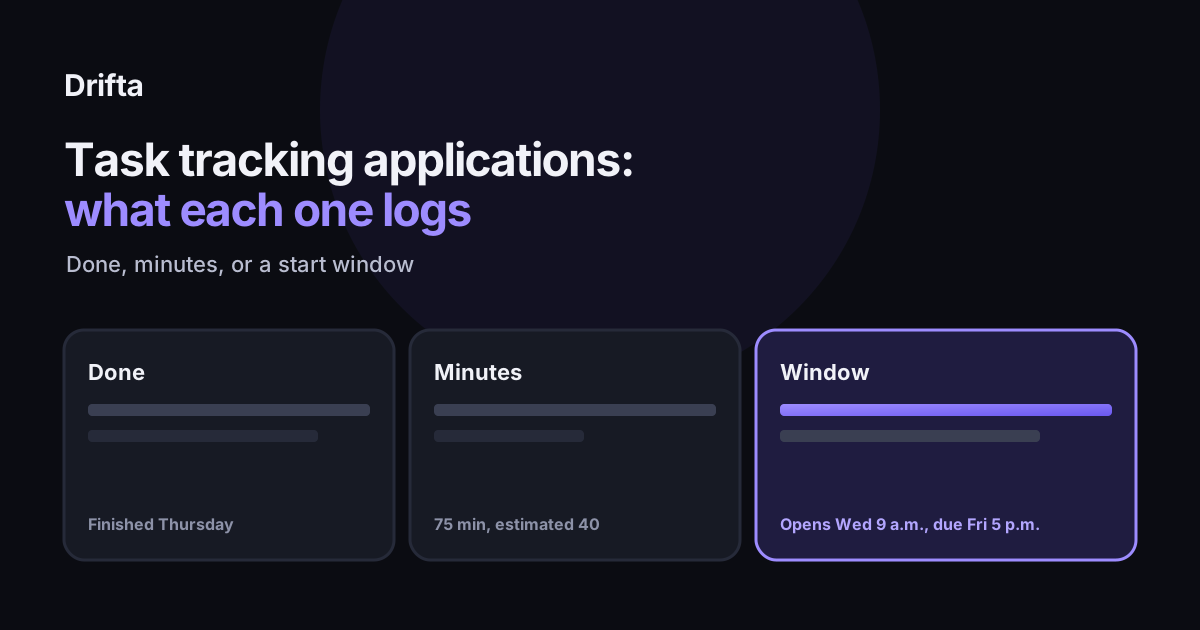
A task tracking application records one of three things about a task: when it was finished, how long it took, or when it is allowed to start. Most apps keep only the first. Time trackers such as Toggl Track and Clockify keep the second, and Drifta, an iPhone app, keeps the third along with a progress view of finished tasks. Pick the log that matches the problem you have before you compare feature lists.
A task tracking application records one of three things about a task: when it was finished, how long it took, or when it is allowed to start. Most apps keep only the first. Time trackers such as Toggl Track and Clockify keep the second, and Drifta keeps the third. The log you need decides which app fits, so start there before you compare feature lists.
What does a task tracking application actually record?
A completion log keeps the fact that a task is done, and sometimes when. It is the most common kind. A time log keeps the minutes spent on a task against an estimate, which is how time-tracking tools work. A window log keeps when a task opens and when it is due, so the app knows when to stay quiet and when to speak up. Each one answers a different question, and none of them answers all three.
Which tracking apps log the time spent on a task?
Time trackers are the apps built for this. Toggl Track's free plan covers up to five users, and its paid plans run from a Starter tier at $9 per user per month billed annually to a Premium tier at $18 per user per month, according to Plutio's comparison of Toggl and Clockify. CostBench's 2026 pricing pages describe Toggl Track as having four plans from free to $18 per user per month. Clockify's free plan has no user limit, and CostBench lists six Clockify plans, from free to $15.99 per seat per month. Those numbers are the kind that change, so treat them as a snapshot.
A time log is useful when your estimates are consistently off. It does not tell you when a task should have started. If you spend 75 minutes on a task you estimated at 40, the log shows the gap, but the reason the task started on Friday is still hidden.
What does a window log change for one task?
Take a task called "renew the car registration." You estimate it at 40 minutes. The window opens Wednesday at 9:00 a.m. and the deadline is Friday at 5:00 p.m. You finish it Thursday at 11:20 a.m., and the work takes 75 minutes in total. Here is what each kind of log keeps for that one task.
| Log type | What it keeps for this task | What it cannot tell you |
|---|---|---|
| Completion | Done Thursday at 11:20 a.m. | Why it did not start until Thursday |
| Time | 75 minutes, against a 40-minute estimate | When the task should have started |
| Window | Opens Wednesday at 9:00 a.m., due Friday at 5:00 p.m. | How long the work actually took |
Each log is correct. The question is which gap you are trying to close. A completion log tells you the task is finished, a time log tells you the estimate was low by 35 minutes, and a window log tells you that the task sat available for more than a day before you touched it. If the problem is lateness, the window matters most. If the problem is that your estimates are always short, the minutes matter most.
Which log fits a task list that keeps slipping?
Match the log to the slip. If tasks keep starting late, you need a window. If the same kinds of tasks keep running long, you need minutes. If you finish things and then lose track of them, you need a completion history. Most people feel the slip in one place first, so start there and add another log only when the first one stops telling you something new.
Drifta is an iPhone app that works from the window log. Each task can have an earliest start time, a deadline, or both, and it stays quiet until the window opens. A progress view shows completed tasks and a streak. It does not record the minutes you spend on a task, so if you need that number, pair Drifta with a time tracker. Drifta is free to download on the App Store, and Pro costs $4.99 per month or $29.99 per year. The free version allows up to 10 daily tasks. The difference between a window and a due date explains why the start matters as much as the deadline.
Where does a window log stop being useful?
A window only helps if you set it. In Drifta, the start time and deadline go on the task's edit screen. The app does not read dates or times out of a sentence you type, so "call the dentist Thursday" stays a plain task until you pick the day and time yourself. That is a small step, but it is the step most people skip when they add a task in a hurry. A window log also says nothing about how much work fits inside the window. If a task needs more time than the window allows, the window will show the gap without fixing it. Pair the window with a rough estimate from the time-tracking side of the table, and the two logs check each other.
How do you check which log you need after a week?
Pick five tasks you do every week and write down three things for each: when you planned to start, when you actually started, and how long it took. After a week, look at the gaps. If the start gaps are large, a window log is the fix. If the duration gaps are large, the time log is. If you cannot tell what happened, the task list is probably too vague to track at all. That is a different problem, and the advice in how to stop underestimating how long tasks take is a good next step.
The closest comparison in this blog is task tracker apps and what they keep after done, which looks at completion history in more depth. Read that one if your problem is finished tasks disappearing. Read this one if the problem is tasks starting late or running long.
Common questions
Is a task tracker the same as a time tracker?
No. A task tracker keeps the state of each task, such as open, done, or scheduled. A time tracker records the minutes you spend on work, usually with a start and stop button. Some apps combine the two, but you should confirm each feature on the vendor's current pages.
Do free plans cover task tracking?
It depends on the app and on what you count. Toggl Track's free plan is capped at five users, and Clockify's free plan has no user limit, according to a 2026 comparison by Plutio. Plans and limits change, so check each product's pricing page before you rely on one.
Which log should I start with?
Start with the one that matches your most frequent problem. If you start tasks late, use a window. If your estimates are always wrong, use a time log for a week. If you finish things and cannot remember them, use a completion history.
This article shares practical organizing ideas. It is not medical advice. For diagnosis or treatment questions, talk with a qualified clinician.